
Features
Everything Kevin can do, from A to Z.
Do your takeoffs, estimate, sell, schedule, track and invoice, without switching tools. Everything is in one place: you manage faster and have more time for your jobs.
Estimating and takeoff
Measure on your plans, estimate faster.
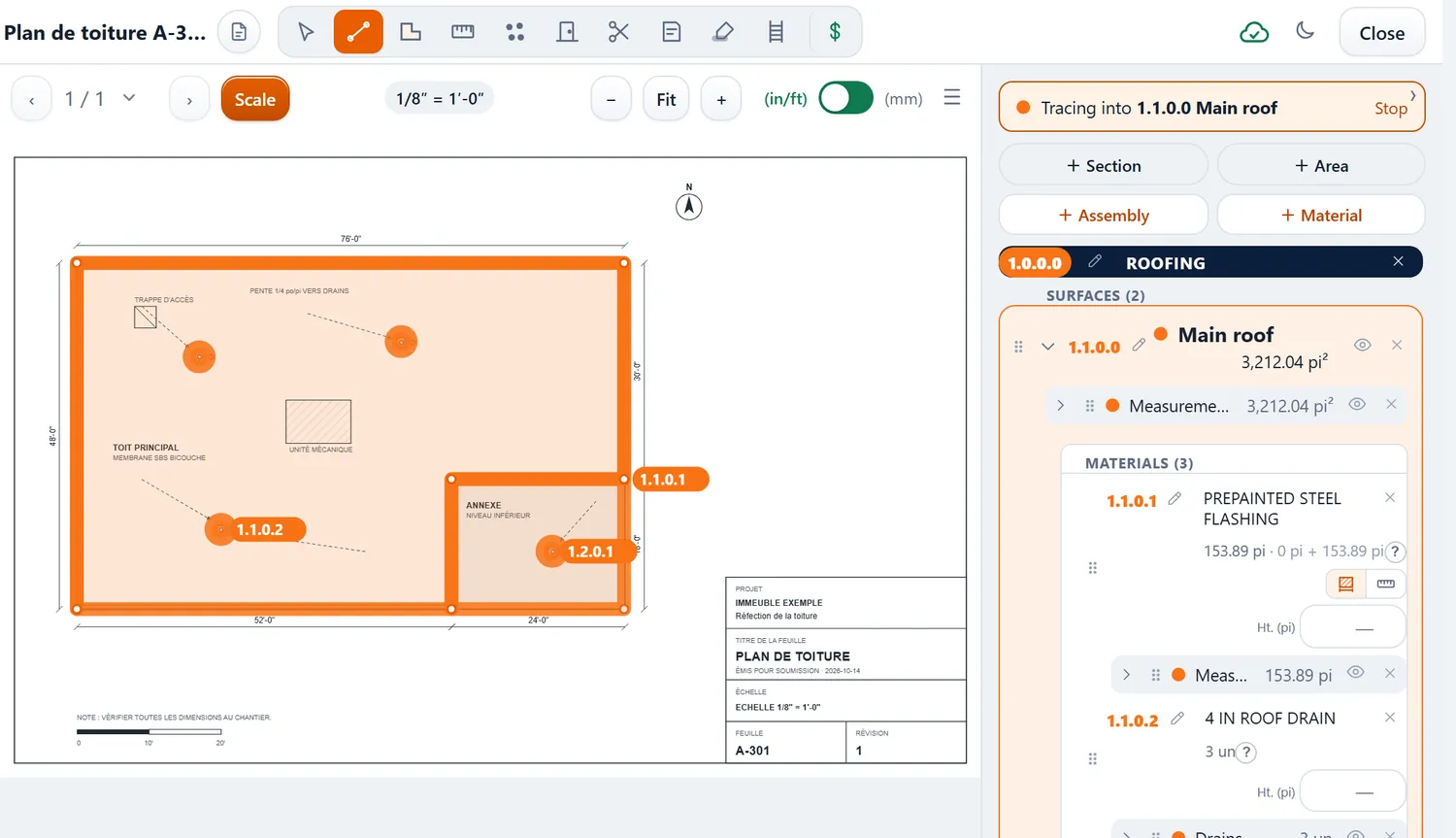
Takeoff is measuring on the plans, and in Kevin it’s a tab of the quote. Open your PDF plans, measure areas, lengths and walls, count doors and windows: every measurement goes straight into the price table, and Kevin calculates the materials. Even the sealant tubes, from the roof’s outline.
- Measurements on PDF plans
- Item counting
- Several people on the same plan at once
- Your measurements give the material quantities
Included from the Plans plan
Quotes
Clear quotes, signed online.
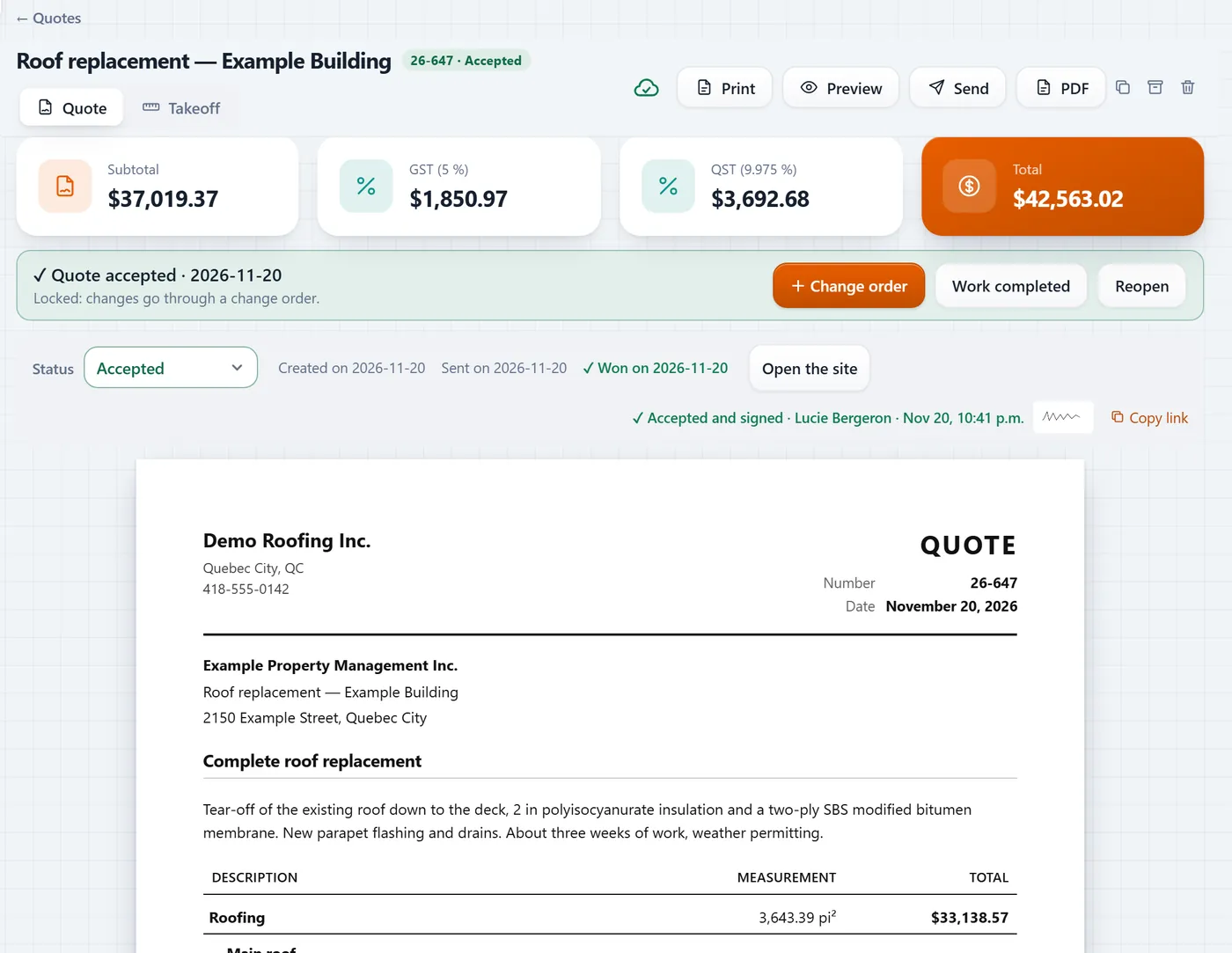
Your construction quotes start from a template or a past quote. The client gets a PDF, picks their option and signs it on their phone. And, if you like, several people can work on them: one prices while the other measures, in the same quote, at the same time.
- Custom templates
- From quote to job in one click
- Online sending and signature
- Several people in the same quote at once
Included from the Pencil plan

Job management
Follow every job, from start to finish.
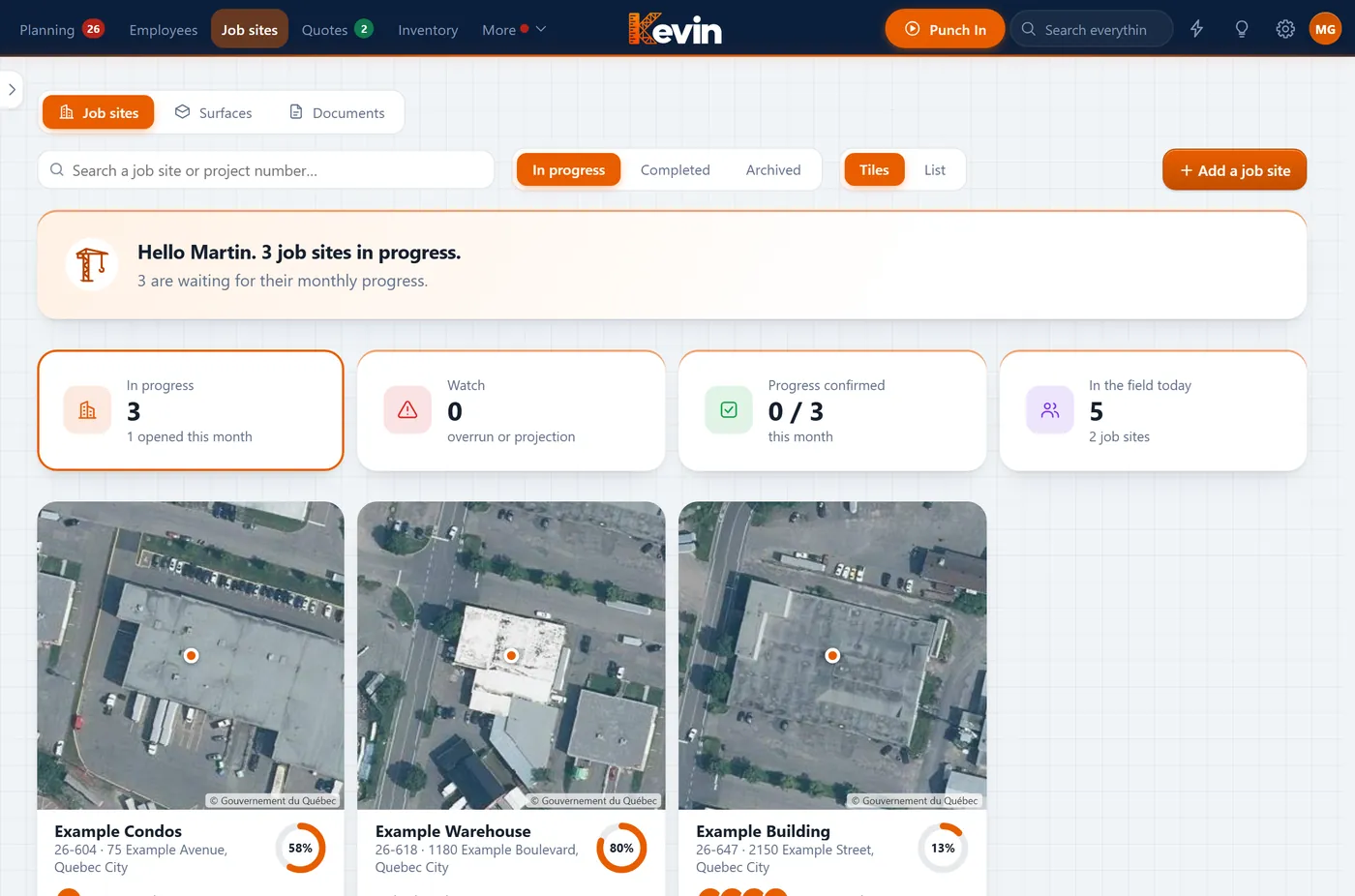
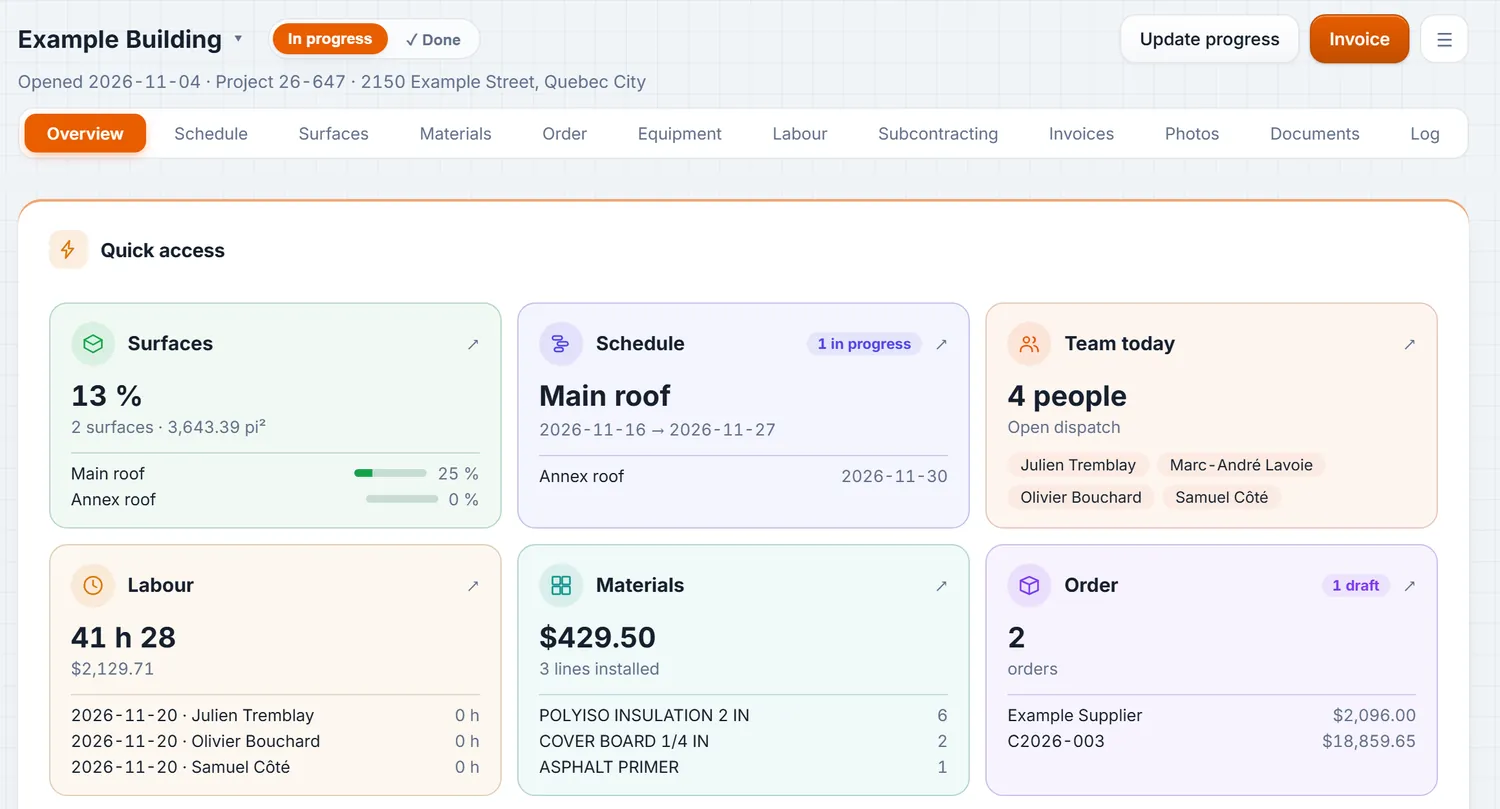
Every job opens on its overview: the details, the weather, the contract, the costs and progress by area. Quick access opens the schedule, today’s crew, the photos or the invoices in one click.
- Overview and quick access
- Progress by job and by area
- Schedule by phases, with the weather
- Photos, plans and log
Included from the Boots plan
Punch and timesheets
Simple, reliable punch.
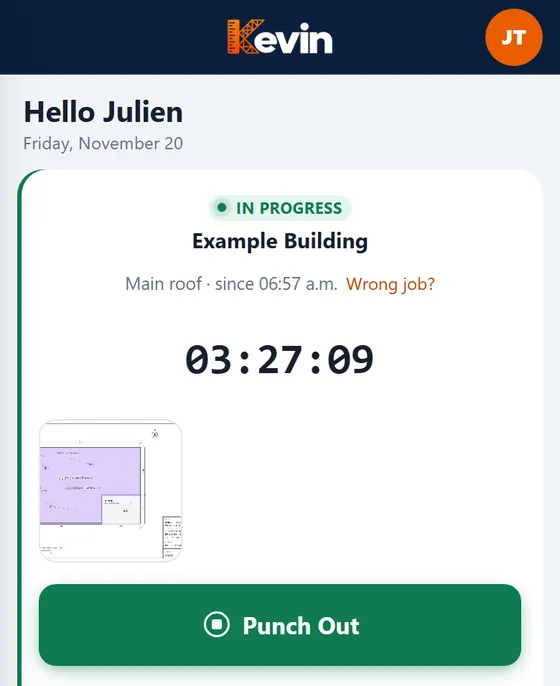
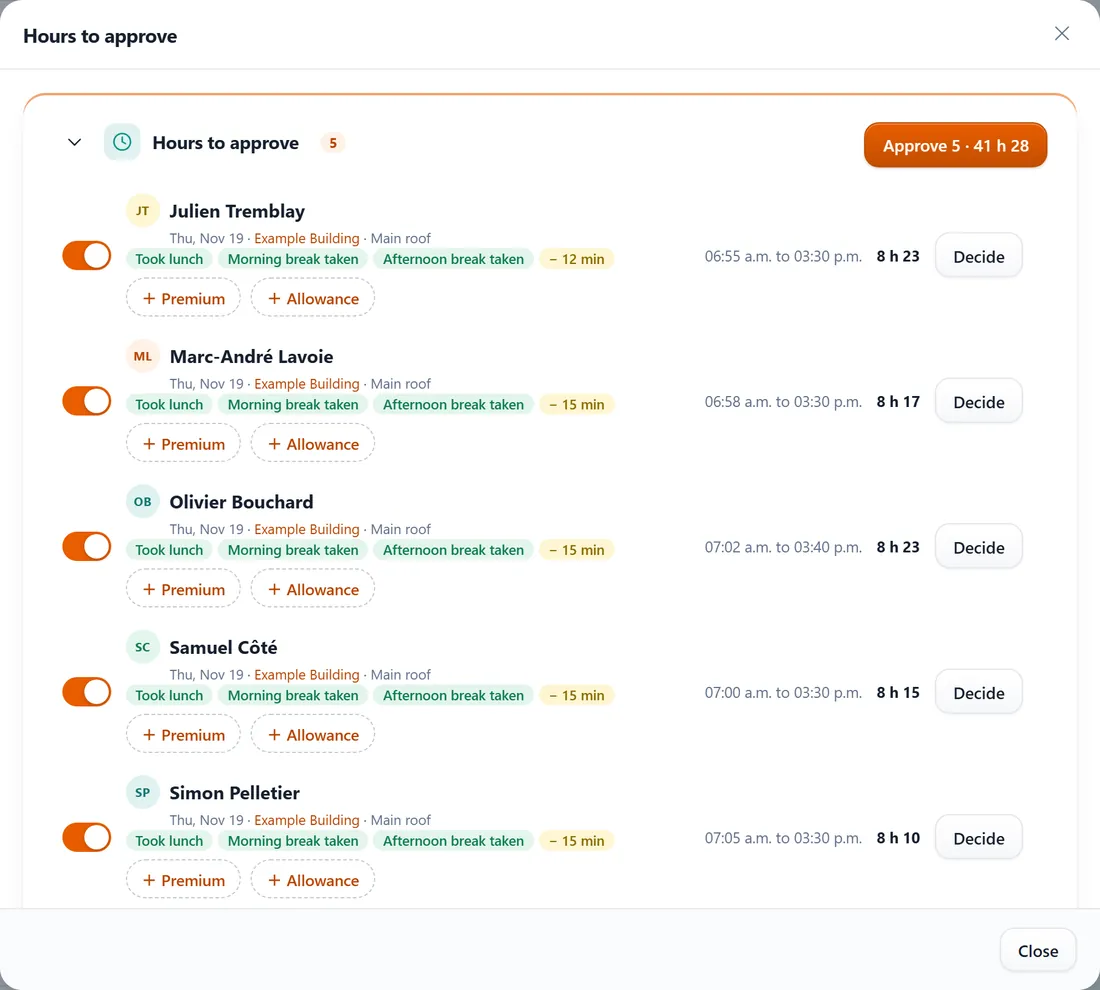
Put the timesheets away: your crew punches in on their job, on the phone or at the kiosk. Hours are counted to the minute, or by your own rules, you approve the whole week at once, and the export follows. If you turn it on, GPS location is recorded at Punch In and Punch Out only: we never track your employees.
- GPS at punch in and punch out, employees aren’t tracked
- Lunch and breaks deducted by your rules
- The whole week approved at once
- Hours and wages in Excel or CSV
Included from the Boots plan
Scheduling
Everyone knows where to go tomorrow.
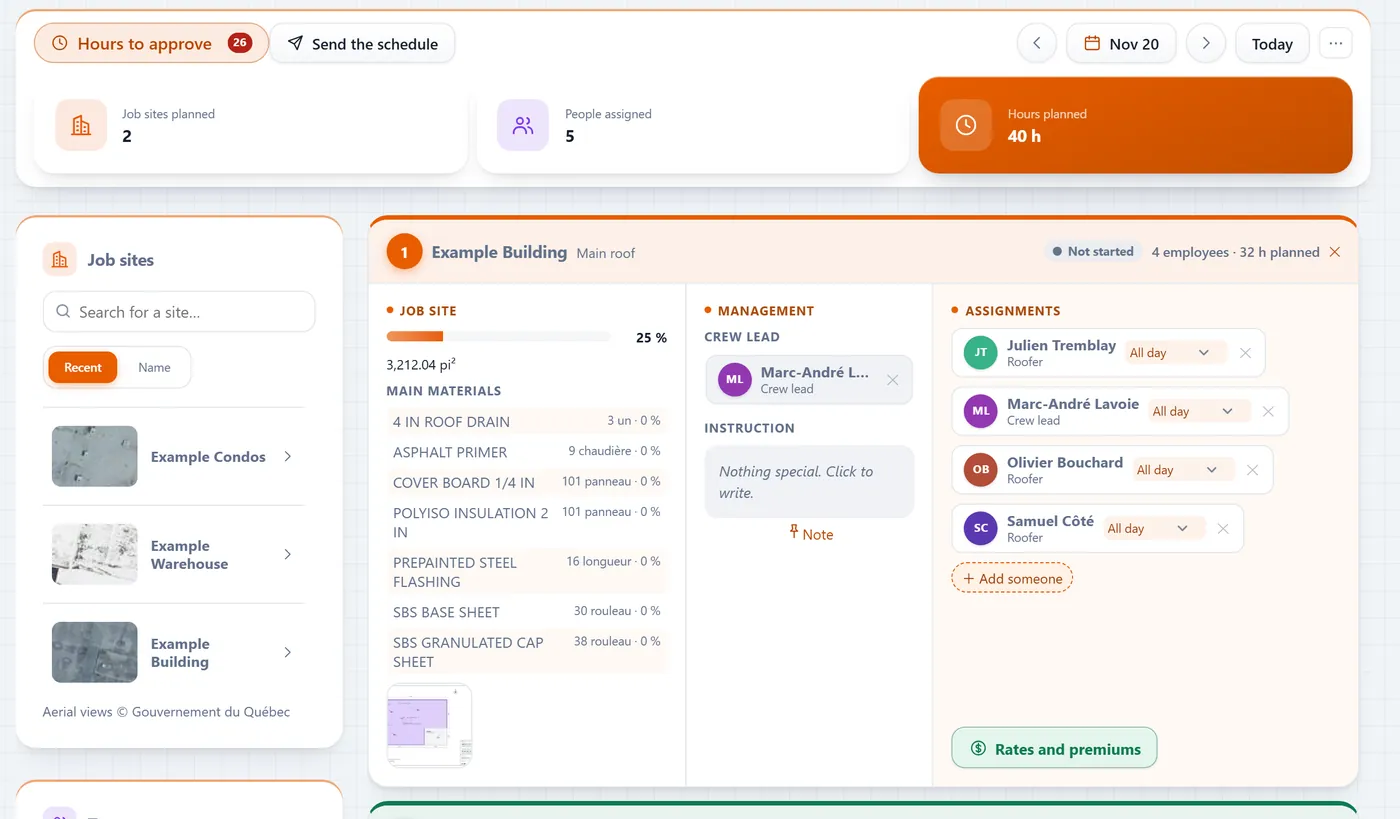
Place your people on this week’s jobs. Everyone sees their schedule on their phone, gets a notice as soon as it changes and a reminder the night before. Time off is in the same place.
- Daily dispatch, copied from yesterday in one tap
- Notice as soon as a schedule changes
- Schedule sent: see who has seen it
- Time off and absences
Included from the Boots plan
Costs and profitability
Know if a job is profitable while it’s running.
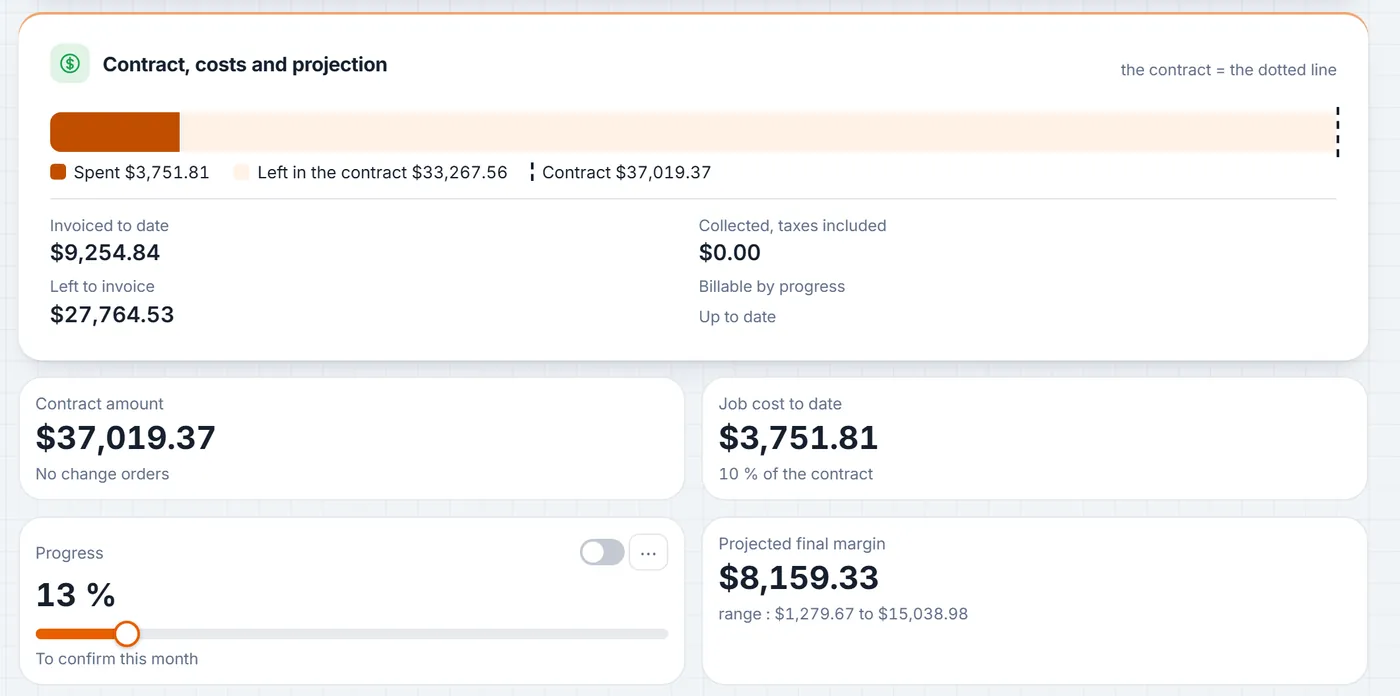
Every hour, every material and every receipt adds up on the job. You see cost to date against the budget, and the margin, before the end, not after.
- Real-time cost to date
- Cost per square foot
- Spent vs budget, by cost type
- Cost export by job
Included from the Boots plan
Invoicing and inventory
Invoice fast, get paid faster.
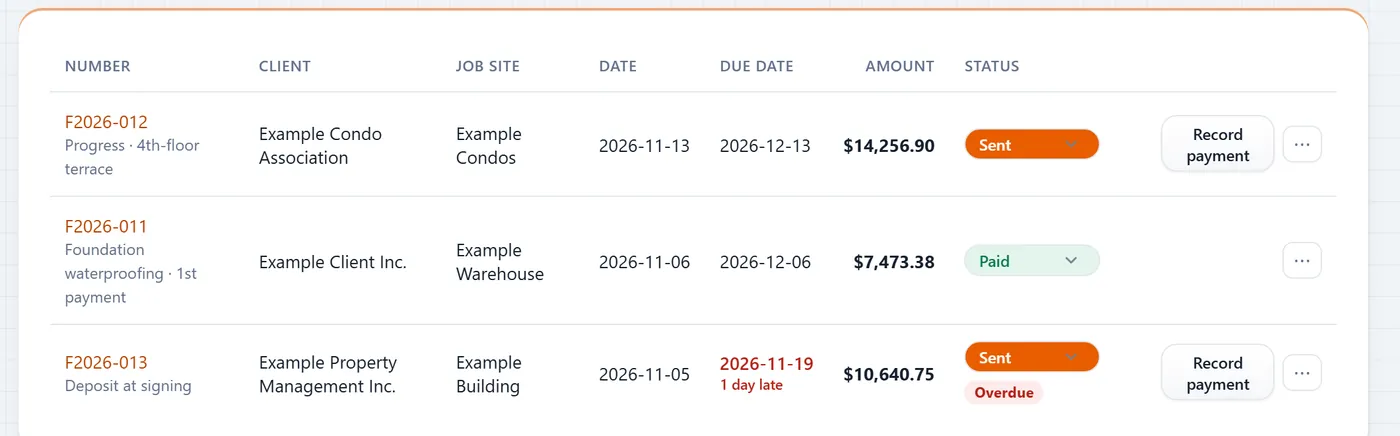
Invoice by progress, a change order or the job’s approved hours. Track payments and let Kevin follow up on late ones. Your materials and purchase orders are in the same place.
- Approved hours to bill
- Automatic payment reminders
- Invoices and taxes export
- Materials and purchase orders
Included from the Boots plan

Employees and assistant
Everyone sees what they need to see.
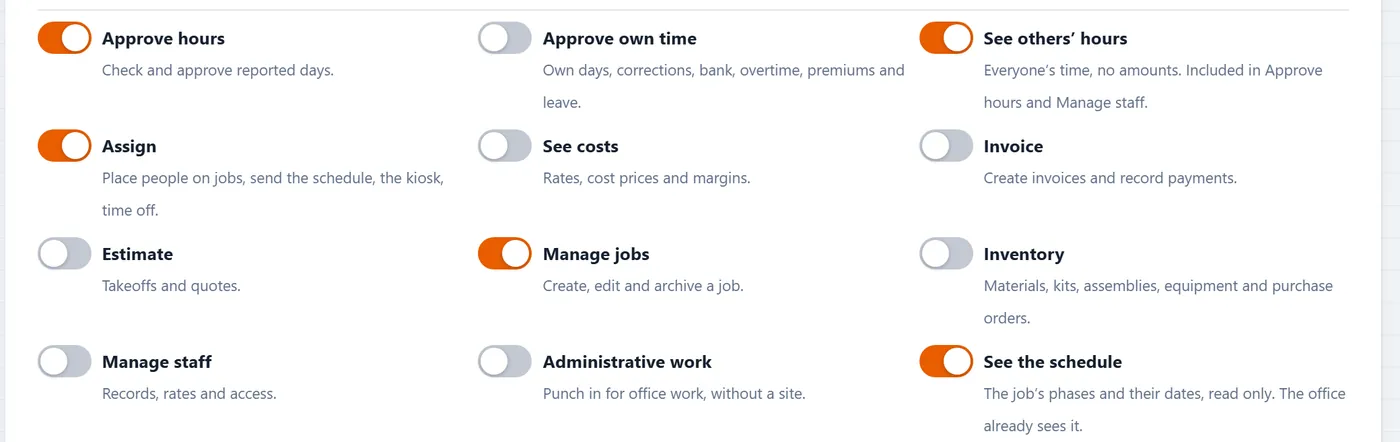
Employee management without shared passwords: give your assistant, foreman, subcontractor or whoever does your invoicing exactly the access they need. And ask the Kevin assistant your questions.
- Ready-made roles
- Access tailored to each person
- Assistant, foreman, subcontractor
- Kevin assistant
Included from the Boots plan
Kevin is ready